How Websites Work
These notes were constructed using TryHackMe’s How Websites Work and Putting it all together courses as reference
Website Infrastructure
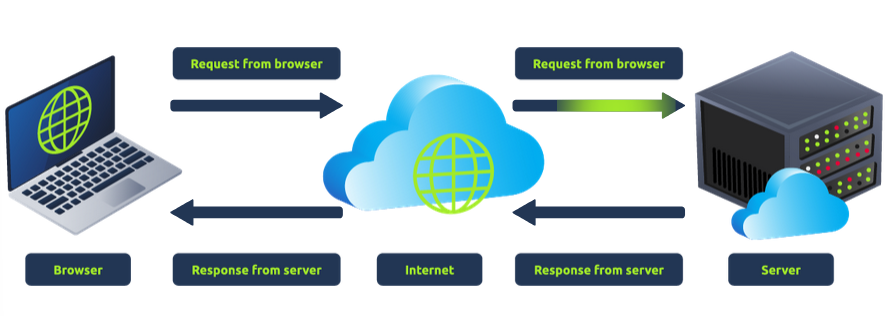
Two major components that make up a website:
- Front End (Client-side) - The way your browser redners a website
- Back End (Server-side) - A server that processes your request and returns a response
Request → server → responseds with relevant data → browser renders information for you to see
Websites will render HTML text and typically use Javascript to add functionality
Sensitive data esposure can happen when people leak important information within the HTML
HTML Injection is a vulnerability when unfiltered user input is displayed on the page → website fails to sanitise user input (i.e users intentionally put in malicious HTML code to extract information that they ought not to access)
Other Components related to websites:
- Load balancers: perform periodic checks with each server to ensure they are running correctly. This is called a health check. If a server doesn’t respond appropriately or doesn’t respond, the load balancer will stop sending traffic until it responds appropriately again.
- CDN (Content Deliver Networks): Good to cut down traffic to a busy site → host static files from a website and host them across thousands of servers across the world. Sends requests from the nearest physical server rather than a distance that is further
- Databases - store info
- WAF - Web application firewall - prevent web server from hacker and DOS attacks
How do web servers work
A software that listens for incoming connections and uses HTTP protocol to deliver web content to clients. Most common is Apache, Nginx, IIS, NodeJS
Virtual hosts:
Web servers can host multiple websites with different domain name and to acheive this, they use virtual hosts.
Web server checks the host name being requested from the HTTP headers and matches that against its virtual hosts (text-based config files). If theres a match, the correct website is provided, else default website provided.
Static vs Dynamic Content
- Static doesnt’ change Dynamic Content:
- changes with different requests → e.g a blog
- changes done with a backend
Summary
- Request
- Local Cache checked for IP address
- Recursive DNS Server checked
- Query root server to find authoritative DNS server
- Authoritative DNS Server advises the IP address for the website
- Requests passes through a firewall
- Request passes through a load balancer
- Connection made to the website on a port (usually 80 or 443)
- Web server receives the get request
- Web app talks to database
- Response sent back
- Browser renders the HTML into a viewable website